Control purchases
Manage purchases and subcontracts for the work in an efficient and organized manner.
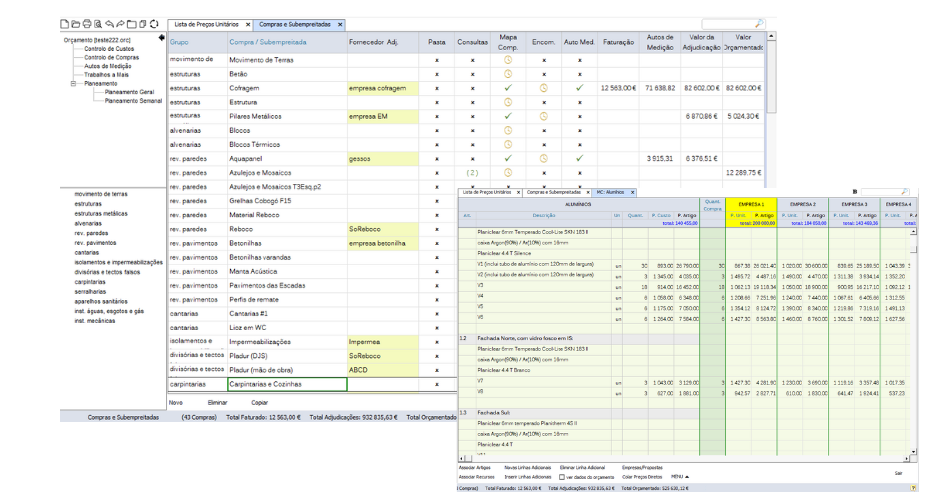
Create the purchase and enter the respective list of works in the comparative map: Select items or resources from the estimate or create new lines, visualorc will allow total flexibility in creating the purchase elements.
Carry out and record consultations, and use the comparative map to enter proposals. Compare them against each other and against the budgeted cost value, choosing the suppliers to consult directly from the company's supplier list. Mark the "Awarded" column on the winning proposal to record it as the company contracted for this project — a decision independent of the proposal that may have been selected during the estimating phase.
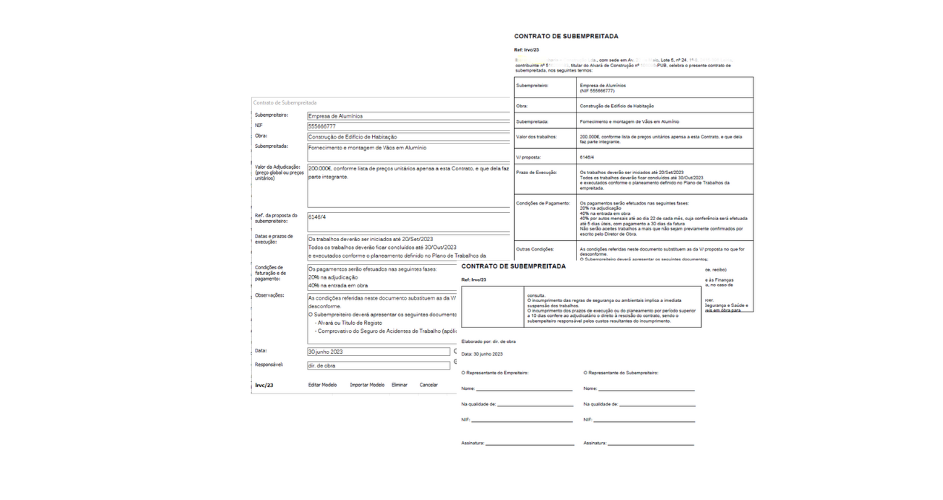
Prepare the order form or subcontract contract based on the template in the Database. If you wish, edit the base template and adapt it to your company's standards.
Monitor the development of the purchase or subcontract by preparing measurement records and controlling invoicing throughout the work.